


Solitaire
4.613.92K Reviews
App Specs
- Version
- 1.70.265
- Updated On
- License
- Free
- Downloads
- 5,000,000+
- Developer
- Cool Games - Puzzle
- Categories
- Card
- Platform
- Android, iOS
Screenshots
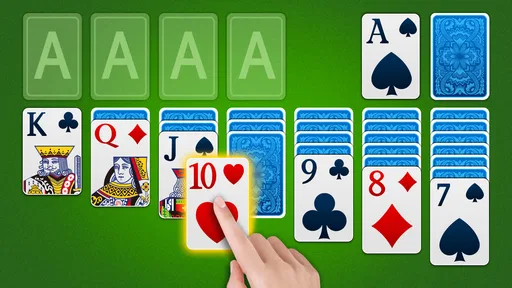
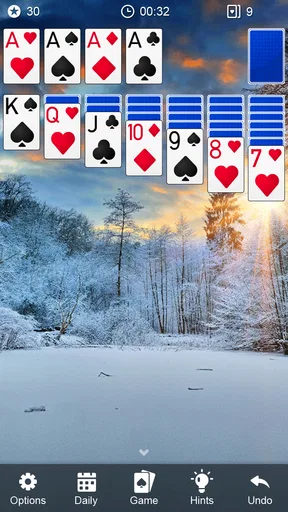
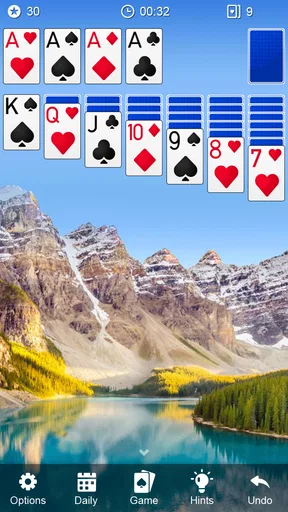
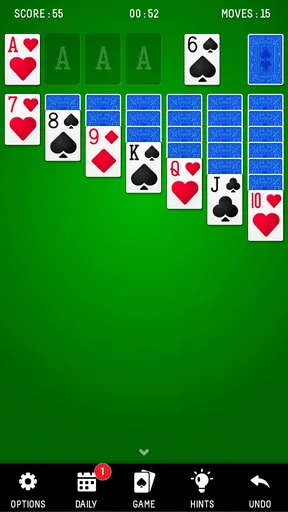
 Analysis by AppCompare
If you’re anything like me, there are days when you just want to kick back with a classic game that doesn’t demand too much of your brainpower. That’s where Solitaire comes in, a timeless card game that has now transitioned beautifully to mobile devices. Whether you’re waiting for your coffee to brew or just need a break from endless notifications, Solitaire is your go-to app for a quick mental escape.
Getting Started with Solitaire
First things first, let’s talk about the installation. Available on both Android and iOS, downloading the app is as easy as pie. Just head over to the Play Store or App Store, search for "Solitaire," and you’re ready to roll. The app doesn’t take up much space, so you won’t have to worry about clearing out precious selfies to make room.
Once you’ve got it installed, firing it up is a breeze. You’re greeted with a simple, user-friendly interface that even your grandma could navigate. The home screen offers a clean layout with game options and settings that are easy to find. No need for a manual here; everything is pretty intuitive.
A sensible first session
For a newcomer, I’d start with a single game and resist the urge to rush through the opening deal. Solitaire is easy to learn, but a useful habit is to pause before each move and ask whether it reveals a face-down card, opens a space, or simply shifts cards around. That small check makes the game feel less like random tapping and helps explain why a move matters.
In a short break, I treat one deal as a complete activity rather than trying to squeeze in several. If I have to put the phone away midway, I can return when I have time instead of turning a relaxing game into another task to finish. This is especially practical while waiting for an appointment or sitting through a commute, where interruptions are normal.
The game is free, is rated for Everyone, and comes from Cool Games - Puzzle. Its average rating is 4.6 from around 63,000 ratings, and it has been installed over five million times. Those figures suggest a broad audience, but they don’t tell me whether its particular style will suit you; the more useful question is whether you want a familiar solo card game or a more elaborate mobile experience.
Diving into the Gameplay
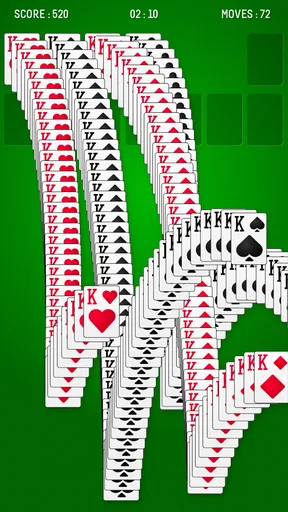
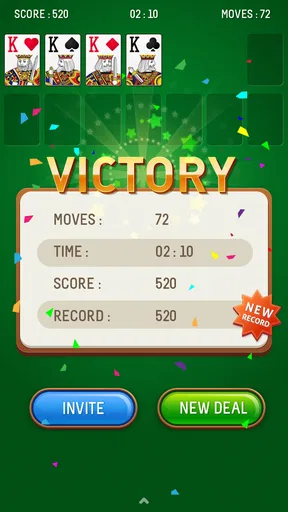
Now, let’s get to the heart of it – the gameplay. The beauty of Solitaire lies in its simplicity. The objective is straightforward: sort all cards into four foundation piles, each starting with an Ace and ending with a King. You’re working with a standard 52-card deck, so it’s just you, the cards, and your cunning strategy.
Worth Reading Before You Choose

Flipboard Shows What News Apps Must Do Beyond the Feed

Switching to Android Auto Means Rethinking Your Driving Routine

Google Calendar Makes a Crowded Week Easier to Manage

Ludo King Makes the Most of the Minutes Between Plans

Baby Panda World Brings Quick Play to Modern Phones, but Its Game Library Feels Busy

ESPN’s Live Game View Makes Following Close Games Easier
The app offers several variations, including Klondike, Spider, and FreeCell, which keeps things fresh and exciting. Personally, I’m a Klondike fan, but I appreciate having options for when I’m feeling adventurous. Each game type has its own set of rules and challenges, adding a nice layer of depth to the overall experience.
That variety is useful when my mood changes, though I wouldn’t mistake it for a deep campaign. Klondike is the quickest route to a familiar, low-pressure round; Spider asks for more deliberate planning, while FreeCell gives a different sort of puzzle to work through. If you enjoy learning several rule sets, that range is a welcome reason to stay. If you want a story, character progression, or a competitive card battler, this is the wrong kind of game.
Compared with a basic solitaire app that sticks to one format, these choices can make the experience feel less repetitive. Compared with a large collection of card games, though, it remains focused on solitaire rather than trying to be an all-purpose table. I see that as a sensible trade-off: you get familiar rules and a clear purpose, but not a broad catalogue of unrelated games.
Settings worth a quick look
The app’s themes let you change the look of the table and cards, so I’d take a moment to choose a design that stays readable on your screen. A decorative card face may look charming, but clear suit and rank markings matter more when you are scanning columns quickly. I prefer treating appearance as a comfort setting rather than a reason to keep switching designs during a game.
Before settling into longer sessions, I also check how the available game options and settings fit my habits. A layout that feels obvious on a large phone may be less comfortable when I’m holding the device in one hand. I’d rather make a small adjustment at the start than repeatedly misread a card or tap the wrong area. The practical test is simple: can I identify the cards without squinting, and can I reach the controls without shifting my grip?
The current version is 1.70.265, and it supports devices running Android 7.0 or later. If you’re choosing between phones or installing on an older Android device, that minimum system requirement is worth checking first. The game is also free, which makes it easy to try, but I wouldn’t assume that every optional visual extra or play pattern will match your preferences just because the initial download costs nothing.
Faster patterns without rushing
Once the basic rules feel natural, I get more consistent by scanning the tableau in the same order each time: first look for moves that uncover hidden cards, then check whether a newly empty column helps, and only then consider routine transfers. It’s a repeatable habit, not a secret shortcut, and it reduces the chance that I’ll make an attractive move that leaves a more useful card buried.
Undo is helpful when I want to inspect the consequence of a choice, but I try not to use it as a substitute for thinking. I’ll reverse a move if I notice that it blocked a better sequence; I won’t keep rewinding every time a deal becomes difficult. That restraint keeps the game’s decisions meaningful and makes an eventual win feel earned rather than merely assembled through trial and error.
There’s also a useful distinction between playing for a win and playing to learn. When I’m trying to improve, I pay attention to which move opened the board and which one reduced my options. When I only have a minute, I accept that a quick round may end without a perfect result. Matching the goal to the time available makes the app easier to pick up and put down.
Features that Stand Out
One of the standout features of the Solitaire app is its customization options. You can change the background themes and card decks to suit your mood. Feeling classy? Go for a vintage card look. Want something more playful? There are plenty of quirky themes to choose from.
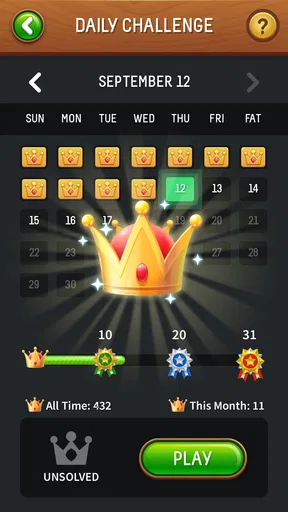
Another nifty feature is the daily challenges. These are perfect for those of us who love a little competition. Completing these challenges not only boosts your leaderboard ranking but also earns you rewards to unlock new themes and card backs.
I’d approach a daily challenge as a small change of pace, not a commitment that dictates when I play. It can give a regular player a reason to try a different deal, but the relaxed appeal is still strongest when I choose a round because I want one. If a leaderboard nudges you toward comparing scores, enjoy that extra motivation; if competition makes a quiet pastime feel pressured, the ordinary games are a better fit.
The theme choices are also a reason to think about legibility before collecting looks. A high-contrast table can make it easier to track piles at a glance, while a busy background may distract from the cards. I’d pick one comfortable setup and leave it in place for a while, especially if I play in short bursts. Familiar visuals mean less time adjusting and more attention on the next useful move.
I also love the undo button – it’s like a safety net for those moments when your brain goes rogue. And let’s be honest, we all make mistakes sometimes. With the undo feature, you can quickly backtrack and try a different strategy without any penalties.
For a realistic routine, I might play one round while waiting for a friend who is running late, then stop when they arrive rather than stretching the pause into a long session. If the wait is uncertain, I choose a game style I’m comfortable with instead of using that moment to learn unfamiliar rules. The small advantage is that the app fits around the day; I don’t need to plan an evening around it.
Where its limits matter
This is still a traditional card game on a phone, and that focus will not satisfy everyone. Players looking for live opponents, social interaction, elaborate progression, or a constant stream of new mechanics should choose a different kind of mobile game. Even the extra variations change the puzzle, not the basic promise of arranging cards and making decisions on your own.
There is a learning curve when switching between rule sets, so I wouldn’t jump from one variation to another and expect the same instincts to work. If I’m tired, I stick with the format I already know; if I want a more demanding puzzle, I switch deliberately and give myself time to remember its rules. That avoids the frustrating feeling that a game is unfair when the real issue is that I’m applying the wrong strategy.
The version information and age rating can help answer practical questions before installing, but they don’t predict how comfortable a particular device will feel in your hands. Anyone with a small screen or limited patience for tapping should try a brief session first and judge the card readability and controls directly. Likewise, people who want every session to offer a fresh narrative or a multiplayer goal are better served elsewhere.
Why You’ll Love It
The best part about Solitaire is its accessibility. It’s a game that appeals to all ages, whether you’re a seasoned solitaire veteran or a curious newbie. It’s stress-free and offers a great way to unwind, whether you’re on a quick break or in for a longer session.
Plus, the app is pretty light on battery usage, so you can enjoy extended playtime without draining your phone’s life force. And let’s not forget, it’s free to download, making it a no-brainer addition to your app collection.
For me, the strongest audience is someone who already likes card puzzles, wants a solo option that is easy to start, and values a choice of familiar formats and visual themes. A beginner can learn at a comfortable pace, while an experienced player can use a consistent scan of the board to make decisions more thoughtfully. If you mainly want a quick distraction, it works best when you keep the session small and let the game remain a break rather than a daily obligation.
Final Thoughts
In a world full of complex games demanding endless attention and in-app purchases, Solitaire stands out as a beacon of simplicity and nostalgia. It’s perfect for those moments when you need a breather, offering a calming yet engaging experience that never goes out of style.
So, if you haven’t already, give it a whirl. You might just find yourself hooked on this classic card game all over again. Happy gaming!
My verdict is that this is a good fit for a low-pressure card break, especially if you enjoy switching between familiar solitaire variations and making the table feel comfortable to read. Its 4.6 average and roughly 14,000 written reviews reflect a sizeable response from players, but I’d still judge it by the simple test that matters: whether a round feels pleasant on your own device and at your own pace. I’d recommend trying it if that is what you want; I’d skip it if you need social play, a fresh story, or a more ambitious challenge than card arrangement can provide.
Pros
- Simple
- intuitive interface for easy gameplay.
- Customizable themes and card backs.
- Offline mode available for uninterrupted play.
- Daily challenges for added excitement.
- Low battery consumption during use.
Cons
- Contains ads that may interrupt gameplay.
- Limited multiplayer options.
- In-app purchases for additional features.
- No option to sync progress across devices.
- Occasional lag on older devices.
FAQs for Solitaire
What features does the Solitaire app offer?
The Solitaire app offers classic card game mechanics with customizable themes, daily challenges, and various difficulty levels. It includes features like hints, undo options, and auto-complete to enhance gameplay. Additionally, players can track their progress with detailed statistics and compete in leaderboards.
Is the Solitaire app free to use, or does it have in-app purchases?
The Solitaire app is free to download and play, but it includes optional in-app purchases. These purchases typically offer premium features such as ad removal, exclusive themes, and additional card decks. Users can enjoy the basic game without spending money, but premium options are available for enhanced experiences.
Does the Solitaire app require an internet connection to play?
The Solitaire app can be played offline, allowing you to enjoy the game without an internet connection. However, features like daily challenges, leaderboard updates, and syncing progress across devices may require internet access. Offline play ensures uninterrupted gameplay anytime, anywhere.
Can I customize the appearance of my Solitaire game?
Yes, the Solitaire app offers extensive customization options. Players can choose from a variety of card designs, backgrounds, and themes to personalize their game experience. These customizations allow users to tailor the visual style of the game to their preferences, enhancing overall enjoyment.
How does the Solitaire app ensure user privacy and data security?
The Solitaire app prioritizes user privacy and data security by adhering to standard data protection practices. It uses encryption to safeguard personal information and offers transparent privacy policies. Users can review these policies to understand how their data is managed and ensure a secure gaming experience.


